介绍如何在 XrmToolBox 中设置用户的默认时区
Table of contents
Open Table of contents
详细步骤
详细步骤如下
步骤一:XrmToolBox 安装并打开 User Settings Utility
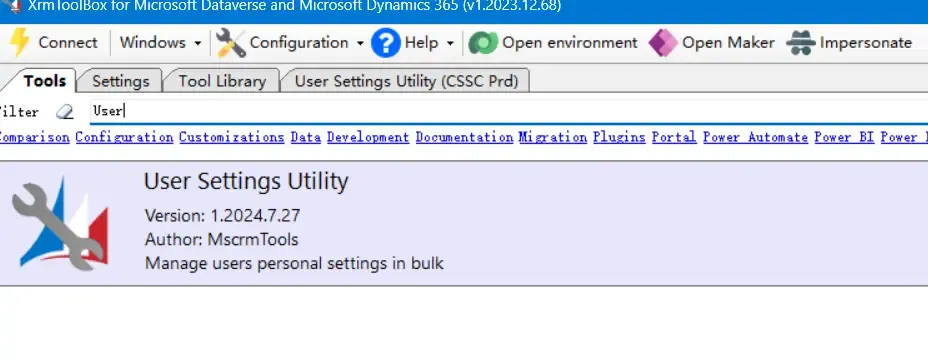
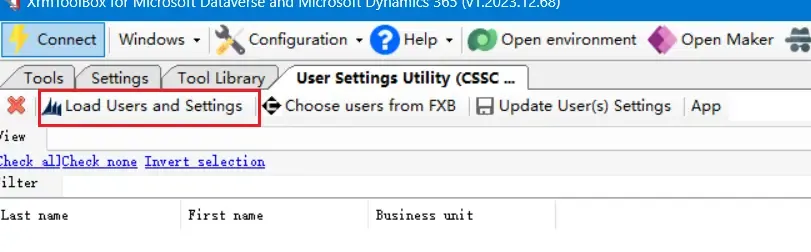
步骤二:加载用户信息
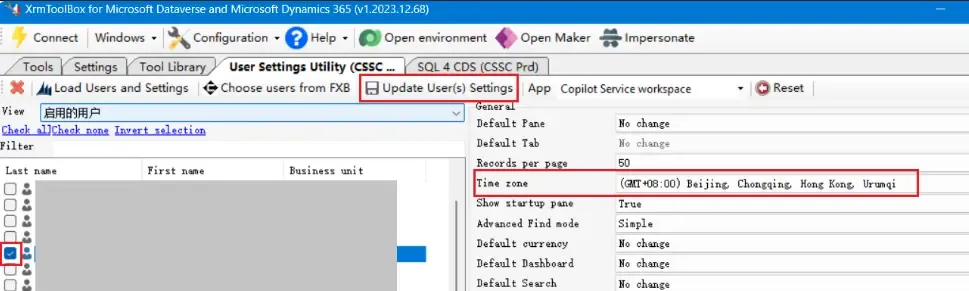
步骤三:选择并勾选用户,选择时区,最后点击更新用户设置
通过SQL查询用户目前使用的时区
另外,还可以通过下面的SQL查询用户目前使用的时区:
SELECT s.fullname AS UserName,
       s.businessunitidname AS BusinessUnit,
       s.domainname AS Domain,
       us.timezonecode AS TimeZoneCode,
       tz.standardname AS TimeZoneName
FROM   systemuser AS s
       INNER JOIN
       usersettings AS us
       ON s.systemuserid = us.systemuserid
       INNER JOIN
       timezonedefinition AS tz
       ON us.timezonecode = tz.timezonecode
WHERE  s.isdisabled = 0;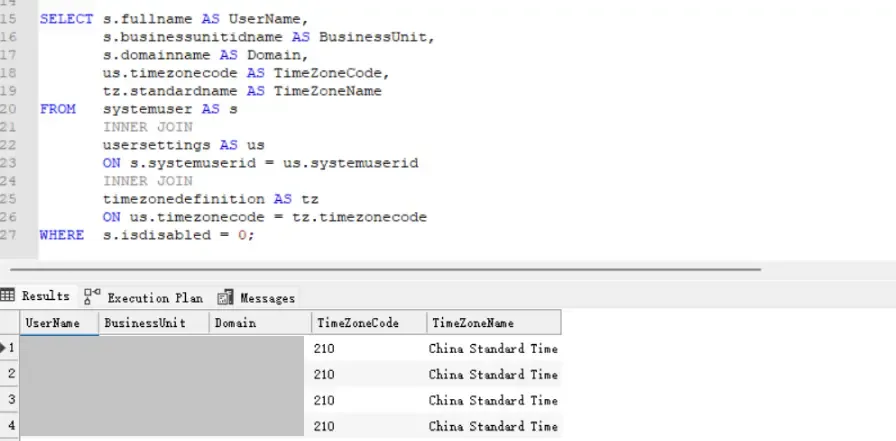
SQL字段说明
| # | Field | Description |
|---|---|---|
| 1 | UserName | Full name of the user. |
| 2 | BusinessUnit | The business unit to which the user belongs. |
| 3 | Domain | The user’s domain account (e.g., contoso\johndoe). |
| 4 | TimeZoneCode | The numeric code that represents the time zone in Dynamics 365. |
| 5 | TimeZoneName | The standard name of the time zone (e.g., Pacific Standard Time). |
(完)
如果这篇文章刚好帮到了你,欢迎请我喝杯咖啡!